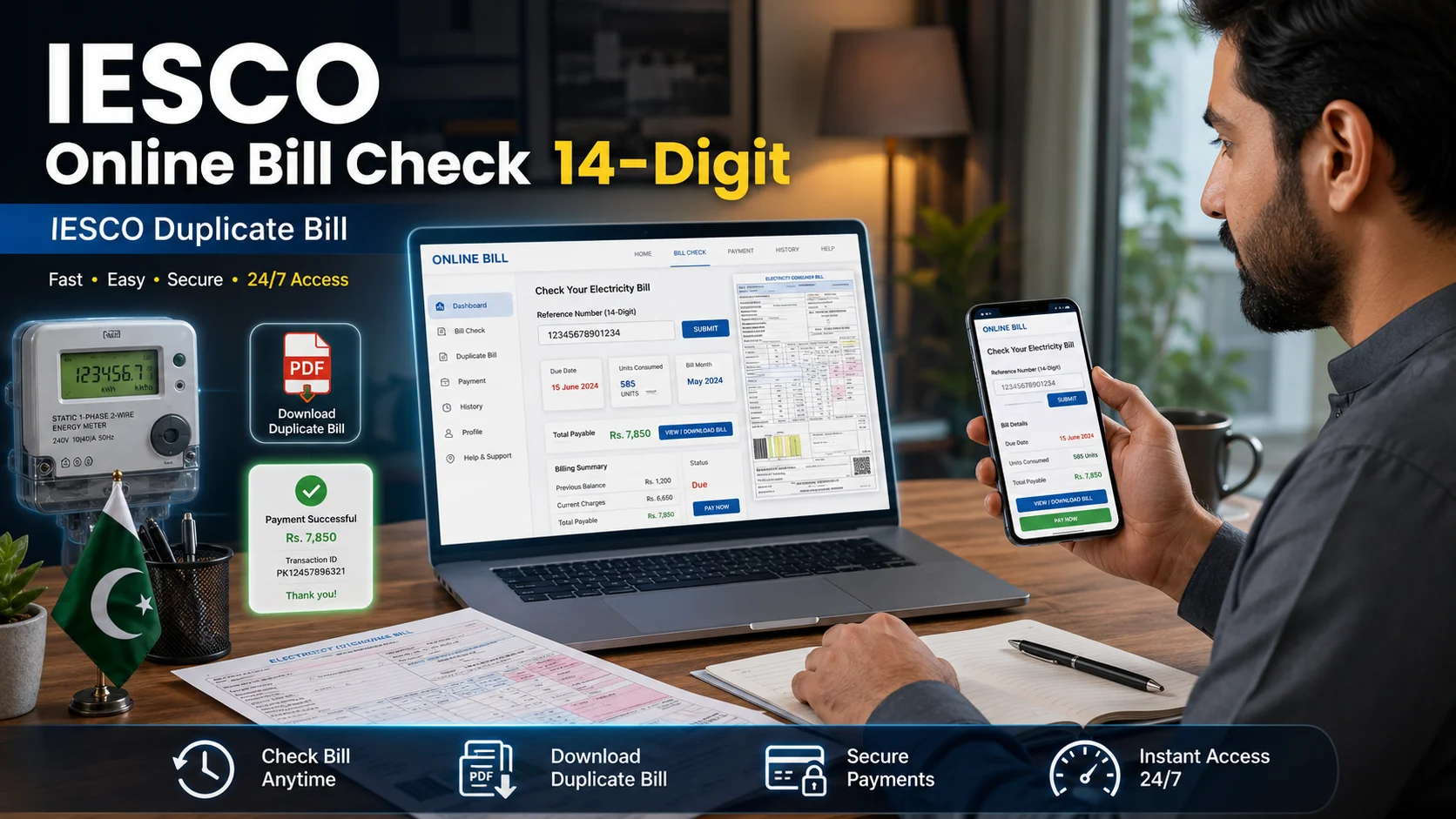
Many IESCO users face the same problem every month: the electricity bill is late, misplaced, or needed urgently before the due date. In that situation, the IESCO online bill check 14-digit method helps you view your latest bill without waiting for the paper copy. You only need your reference number or customer ID, and your bill details appear online within a short time.

Iesco Bill Check Online
Iesco Bill Check Online
Check your electricity bill online
اپنا بجلی کا بل چیک کریں
This guide explains how to check your IESCO duplicate bill, where to find the reference number, what details appear on the bill, and how to download or print it. It also covers common mistakes Pakistani users make while entering bill details, especially when checking bills from mobile phones.
IESCO’s official website includes a “Get Duplicate Bill” option, and the PITC web bill page allows users to search by reference number or customer ID.
What is IESCO?
IESCO, or the Islamabad Electric Supply Company, serves consumers across Islamabad, Rawalpindi, Attock, Chakwal, Jhelum, and surrounding areas. Whether you are a residential user, a small business owner, or a property renter, your electricity bill includes a unique IESCO online bill check 14-digit consumer reference number that links your account to every transaction. Understanding how this number works — and how to use it online — saves time, avoids late payment penalties, and keeps your electricity connection running without interruption.
What Is the 14-Digit Reference Number on Your IESCO Bill
Every IESCO electricity bill has a 14-digit reference number printed near the top of the document. This is your consumer identification code within the IESCO billing system. It is different from your old 10-digit account number that older consumers may still remember.
The switch to a 14-digit format came as part of a broader digitization effort across Pakistani electricity distribution companies. Your IESCO online bill check 14-digit number remains the same from month to month, so once you locate it on any old bill, you can use it every time you need to check your current or past electricity charges.
If you have misplaced all paper copies, you can often find this number on any payment receipt, on your meter card, or by contacting IESCO’s customer helpline at 051-9252626.
How to Check Your IESCO Bill Online — Step by Step
Using the Official IESCO Website
- Open a browser on your phone or computer and go to the official website: iesco.com.pk
- Look for the “Online Bill” or “Bill Inquiry” section on the homepage.
- Enter your 14-digit reference number in the provided field.
- Click the “Submit” or “Get Bill” button.
- Your current month’s bill will appear on screen, showing the amount due, due date, and billing period.
- You can print the page directly or save it as a PDF to use as a duplicate bill.
Using CheckYourBill.pk for Quick Access
Another reliable method many Pakistani consumers prefer is using a third-party bill checking portal like checkyourbill.pk. The process is equally simple:
- Visit checkyourbill.pk and select IESCO from the list of electricity providers.
- Enter your 14-digit IESCO reference number.
- Your duplicate bill will load within seconds, complete with the billing breakdown.
- Download or print the bill for payment at any bank or Easy Paisa outlet.
This option is especially useful when the official IESCO website is slow or temporarily unavailable during peak hours, which often occurs right before payment due dates.
Where to Find the 14 Digit Reference Number on an IESCO Bill
Your reference number is printed on your previous IESCO electricity bill. It usually appears near the top area of the bill, along with customer details and billing information.
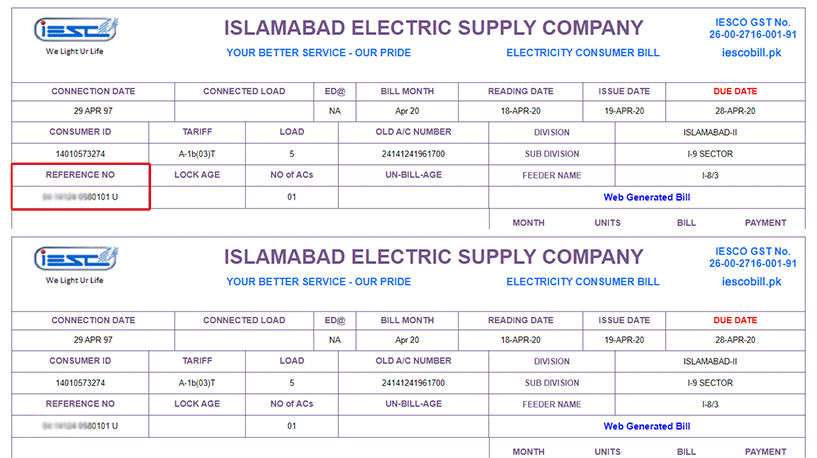
If you have an old bill, look for the section labeled “Reference No” or a similar field. The number normally contains 14 digits. Do not include spaces, dashes, or extra symbols while entering it online.
Difference Between Reference Number and Customer ID
Some users confuse the reference number with the customer ID. Both can help identify a consumer record, but they are not the same.
| Useful if the reference number is unavailable | Reference Number | Customer ID |
|---|---|---|
| Common use | Used for online bill checking | Also used on some bill-checking systems |
| Length | Usually 14 digits | Usually shorter than reference number |
| Location | Printed on old electricity bill | Printed near consumer details |
| Best for users | Most common method | Useful if reference number is unavailable |
| Mistake to avoid | Do not add spaces | Do not enter reference number in customer ID field |
If one method does not work, check your old bill again and confirm that you are using the correct field.
How to Download a Duplicate IESCO Bill
A duplicate IESCO bill is simply a reprinted or digitally retrieved copy of a bill you have already been issued. Banks, employers, and government offices often require a copy for address verification or utility proof. Here is how to get one quickly:
- Online method: Follow the steps above using either the IESCO official site or checkyourbill.pk. Once your bill loads, use your browser’s print function (Ctrl+P on desktop) and select “Save as PDF” instead of a printer. This creates a clean, shareable copy of your current electricity bill.
- Offline method: Visit the nearest IESCO Customer Service Centre. Bring your original National Identity Card and provide your reference number or registered address. Staff will print a duplicate bill for you, though this may take 20 to 30 minutes during busy hours.
For most users, the online route is significantly faster and eliminates any need for travel.
Common Mistakes to Avoid When Checking Your IESCO Bill Online
Many consumers run into avoidable issues when trying to retrieve their bill online. Being aware of these saves frustration:
- Entering the wrong number format: The reference number must be exactly an IESCO online bill check 14-digit. Some older bills show a 10-digit account number — this will not work on the current system. If you only have a 10-digit number, call the helpline to get the updated 14-digit reference.
- Using unofficial websites: Several unofficial sites mimic the appearance of IESCO’s portal. Always verify the URL before entering personal information. The official site ends in .com.pk, and checkyourbill.pk is a known and widely used alternative.
- Checking too close to the due date: Bill data sometimes takes one to two days to refresh after a new bill cycle begins. If you check your bill on the first day of the new month and see the previous bill, wait 24 hours and try again.
- Ignoring the payment due date: The online bill shows both an “on-time” due date and a “late payment” due date. Paying after the first deadline adds a surcharge, and missing both can lead to disconnection.
IESCO Bill Payment Options in 2026
After downloading your duplicate bill or checking your outstanding amount online, you have multiple convenient options to make the payment:
- Internet Banking: Most major Pakistani banks including HBL, UBL, MCB, and Meezan Bank allow direct bill payment through their apps using the 14-digit reference number.
- Mobile Wallets: JazzCash and Easypaisa both support IESCO bill payments. Enter your reference number and the amount is pulled automatically.
- ATM: Use the “Utility Bills” option on any bank ATM and enter your reference number.
- Bank Counter: Visit any scheduled bank and hand them the printed duplicate bill for payment.
- Post Office: Pakistan Post offices in IESCO’s service areas accept electricity bill payments.
IESCO has also expanded its digital payment outreach through its official app, which links directly to your registered consumer account.
Tips for Managing Your IESCO Bill More Efficiently
Staying on top of your electricity bill does not require much effort if you build a few simple habits. Register your mobile number with IESCO so you receive monthly SMS alerts when a new bill is generated. This eliminates the surprise of a missing paper bill entirely.
Set a calendar reminder three to four days before the due date. This gives you enough time to check the bill online, verify the amount, and make the payment without rushing. If you notice an unusually high amount on any bill, check your consumption units carefully. IESCO bills clearly show the number of units consumed. A sudden spike often points to meter reading errors, which you can dispute through the IESCO complaint portal or by calling the helpline.
Saving a PDF of each month’s bill to a folder on your phone or computer also creates a personal archive that can serve as proof of residence or help track seasonal consumption patterns.
IESCO Duplicate Bill for Home, Shop, and Office Use
The IESCO duplicate bill method works for different types of consumers. Domestic users usually check bills for home electricity usage. Commercial users may need bills for shops, offices, warehouses, or small businesses.
For businesses, downloading bills every month also supports expense tracking. It helps owners compare electricity costs during summer, winter, and peak usage periods.
If your bill looks unusually high, compare units consumed with previous months. Also, check whether arrears, fuel price adjustments, taxes, or late payment surcharge are included.
Why Online Bill Checking Helps Pakistani Users
Online bill checking solves a real monthly problem. Many households receive their printed bills close to the due date, which creates stress. Sometimes people only discover the payable amount when the due date is near.
With an online duplicate bill, you can plan payment earlier. You can also avoid unnecessary late payment charges by checking the due date in advance.
For tenants, it becomes easier to share bill copies with landlords. And for office staff, it saves time because they can download bills without waiting for paper delivery. For families, one person can check multiple bills if all reference numbers are saved.
FAQs
It is your unique consumer reference number assigned by IESCO. You use this number to check your bill online, make payments, and register complaints. It replaced the older 10-digit account number as part of IESCO’s updated billing system.
The 14-digit number is the standard method for online bill retrieval. If you do not have it, call IESCO at 051-9252626 and provide your registered address or old account details. Customer service staff can help you retrieve the number.
Yes, it is a widely used and trusted portal among Pakistani electricity consumers for checking and downloading duplicate bills from IESCO and other distribution companies.
Visit iesco.com.pk or checkyourbill.pk, enter your 14-digit reference number, and save or print the bill that appears. This printed or PDF version is accepted as a valid duplicate bill in most cases.
Practical Tips for IESCO Consumers in 2026
In 2026, more Pakistani users rely on digital bill checking because it is faster than waiting for physical delivery. However, you should still use the online bill carefully.
- Save your reference number in your mobile notes.
- Keep one old bill photo in your gallery.
- Check your bill before the due date week.
- Download a PDF copy for monthly records.
- Compare units with the previous month.
- Do not share your bill details on unknown public pages.
- Use trusted payment channels only.
- Check the amount after due date if payment is late.
These small habits make bill management easier, especially for families, shopkeepers, tenants, and office administrators.
Final Words
IESCO online bill check 14-digit method is the easiest way to view your electricity bill before the paper copy arrives. It helps you confirm the due date, payable amount, billing month, and units consumed without visiting any office. For Pakistani users, this is especially useful when the bill is misplaced, delivered late, or needed urgently for payment.
Helpful Guides to Understand Your Electricity Bill Better
Checking your IESCO bill online is just the first step. To truly take control of your electricity expenses, avoid unnecessary charges, and make smarter decisions every month, explore these practical guides we have put together for Pakistani consumers:
- Electricity costs more during certain hours of the day, and using heavy appliances at the wrong time can significantly increase your bill. Our dedicated guide on electricity peak hours in Pakistan explains when rates are highest and how to shift your usage to save money. 👉 Read the full guide here: https://checkyourbill.pk/electricity-peak-hours-in-pakistan/
- If your bill suddenly seems too high and you cannot figure out why, you are not alone. We break down the most common reasons behind inflated electricity bills and what you can do to fix them. 👉 Find out why your bill is high: https://checkyourbill.pk/why-is-my-electricity-bill-so-high/
- Knowing the current electricity tariff slabs helps you understand exactly how your units are being charged. Our updated breakdown of electricity tariff rates in Pakistan for 2026 covers all consumer categories clearly. 👉 Check the latest rates here: https://checkyourbill.pk/electricity-tariff-rates-pakistan-2026/
- Want to estimate your bill before it arrives? Our IESCO bill calculator lets you enter your monthly units and get an accurate cost estimate based on current NEPRA slab rates. 👉 Try the calculator here: https://checkyourbill.pk/iesco-bill-calculator/
- Some home appliances consume far more electricity than most people realize. If you want to know which devices are quietly driving up your bill each month, this guide on the top appliances that increase your electricity bill in Pakistan is worth reading. 👉 See the full list here: https://checkyourbill.pk/top-10-appliances-that-increase-your-electricity-bill-in-pakistan/
- Missed your payment deadline? Do not panic. Our guide on what to do when your electricity bill due date has passed explains the exact steps to take, the surcharges involved, and how to avoid disconnection. 👉 Read what to do next: https://checkyourbill.pk/electricity-bill-due-date-passed-2026/